


Weather Radar & Weather Live
3.9662.00 Reviews
App Specs
- Version
- 2.5.8
- Updated On
- License
- Free
- Downloads
- 5,000,000+
- Developer
- Avn Global Application
- Categories
- Weather
- Platform
- Android, iOS
Screenshots
 Analysis by AppCompare
For me, a weather app earns its place on my phone when it helps answer a practical question: should I change my plans, take a different route, or pack for conditions that may not be obvious from the window? Weather Radar & Weather Live is built around that kind of quick check, with radar at its center and weather details such as UV conditions and snow reports for planning ahead. I find that focus most useful when a simple temperature reading is not enough.
What the current version is built to do
This is a free weather app from Avn Global Application, with optional in-app purchases ranging from $1.99 to $94.99 per item. It is rated for Everyone and has a 4.1 average from around 20,000 ratings, with over one million installs. The current release is version 2.4.8, and it runs on Android 7.0 or later. Those figures suggest a widely used app, but they are not a substitute for deciding whether its particular mix of radar and planning details suits you.
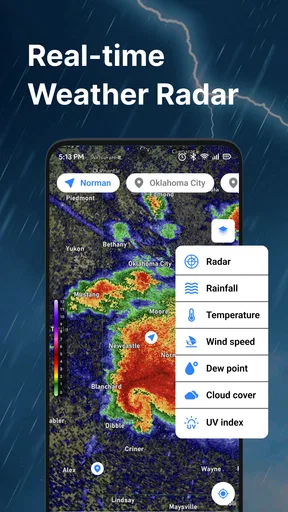
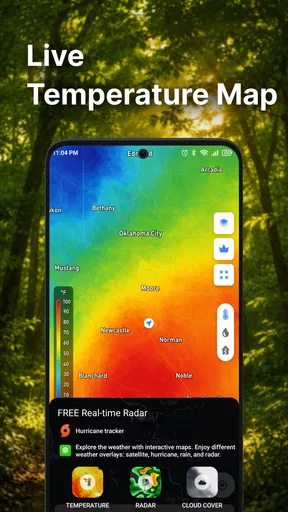
The radar view is the feature I would reach for when rain timing matters more than a broad daily summary. A forecast can say that showers are possible, while a map gives me a way to inspect where precipitation appears to be and whether it is moving toward the area I care about. I would still treat radar as a guide rather than a promise: weather changes, and a map cannot guarantee exactly what will happen at my doorstep.
How I would use it to make a plan
Imagine I am about to walk to a nearby appointment and the sky looks unsettled. I would check the radar before leaving, then look at the rain outlook and the relevant conditions for the rest of the day. If the map suggests rain is close, I can take an umbrella or allow extra time; if the outlook looks clearer, I may choose to walk without carrying extra gear. The useful part is the sequence: check the pattern, connect it to the time I will be outside, and make a modest adjustment rather than treating one forecast as certainty.
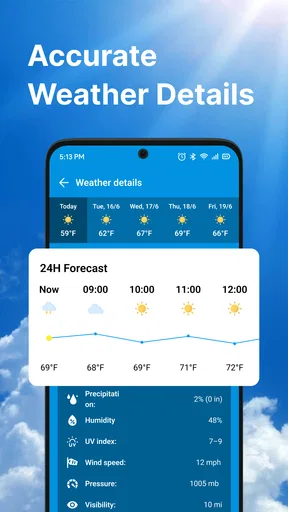
The same approach works for a weekend outing, a school run, or deciding whether to move an outdoor chore to another part of the day. The UV index is worth checking when I expect to spend a long stretch outdoors, while a snow report is more relevant when winter conditions could affect travel or activities. These details are most valuable when I use them to answer a specific question, not when I scroll through every available reading without a plan.
Where it fits among weather apps
Compared with a basic built-in weather app, this one is a better fit if I want radar to be part of my routine rather than an occasional extra. A simple forecast screen is often faster for checking the current temperature or the broad outlook; a radar-centered tool makes more sense when I am trying to judge incoming rain. That difference is about workflow, not a guarantee that one forecast is more accurate than another.
I would not make it my only source for high-stakes decisions. For an official warning or a situation that could affect safety, I would also check the relevant local authority. Likewise, if all I need is a quick glance at today’s temperature, opening a full radar view may be more effort than the task calls for. The app is most appealing to people who actually use weather information to adjust when and how they go out.
Worth Reading Before You Choose

Flipboard Shows What News Apps Must Do Beyond the Feed

Switching to Android Auto Means Rethinking Your Driving Routine

Google Calendar Makes a Crowded Week Easier to Manage

Ludo King Makes the Most of the Minutes Between Plans

Baby Panda World Brings Quick Play to Modern Phones, but Its Game Library Feels Busy

ESPN’s Live Game View Makes Following Close Games Easier
What to keep in mind as you use it
Radar takes a little interpretation. A colored patch on a map is not the same as a precise arrival time at one address, so I would zoom in, consider the broader movement, and check again before committing to a longer trip. That repeat check is a practical habit, especially when the weather is changing. It also helps avoid the common mistake of reading a single snapshot as a firm forecast.
There is a trade-off between having more information and keeping the experience simple. If I only want a minimal daily summary, extra weather layers and details can feel like clutter; if I like comparing conditions before making plans, they can be useful. Since optional purchases are available, I would review what is included in the free experience and what a purchase offers before paying. The listed purchase range is broad, so checking the specific item matters more than assuming every extra has the same cost or purpose.
First Impressions
When I first downloaded Weather Radar & Weather Live, I was immediately struck by its sleek and intuitive interface. The app opens with a vibrant live radar map that makes it easy to see weather patterns in real-time. It’s like having a personal meteorologist right in your pocket! You can zoom in on your specific location or pan around to see what's happening elsewhere in the world. It’s a feature I didn’t know I needed until I had it.
Detailed Forecasts at Your Fingertips
One of my favorite things about this app is how detailed the forecasts are. We're not just talking about the basics like temperature and chance of rain. We're talking humidity levels, wind speeds, UV index, and even air quality. If you’re planning a day outdoors, these features are a godsend. I found myself constantly checking the UV index, especially during those hot summer months.
Alerts and Notifications
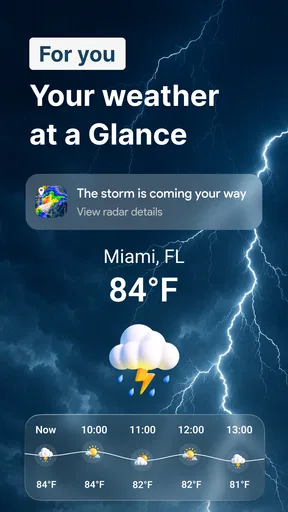
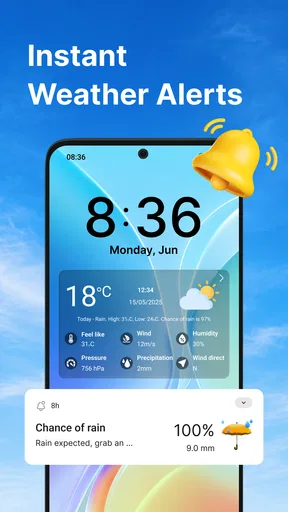
No one likes getting caught in a sudden downpour or a surprise snowstorm, and that's where the app’s alert system shines. I was pleasantly surprised by how timely and accurate the push notifications were. Whether it’s a severe weather warning or just a reminder to grab a raincoat, the app has got your back. It’s a bit like having a weather-savvy friend who’s always looking out for you.
Customization Options
Another highlight is the level of customization. You can tailor the app to suit your needs, choosing which data you want upfront and how you want it displayed. Love seeing the sunrise and sunset times? You got it. Want to focus more on wind speed or humidity? No problem. This flexibility makes Weather Radar & Weather Live not just a one-size-fits-all app, but one that feels personal and relevant to your daily life.
Interactive Widgets
If you're like me and enjoy having quick info at a glance, you’ll appreciate the interactive widgets. They’re perfect for checking the weather without even opening the app. Simply glance at your home screen, and you're up to date. I found this especially handy during busy mornings when I’m rushing out the door.
Global Reach
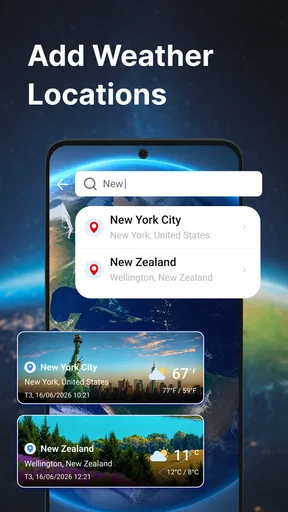
Traveling or just curious about the weather across the globe? The app covers you there too. You can check weather conditions for virtually any location worldwide. It’s particularly useful if you’re planning a trip and want to pack accordingly. No more guessing if you’ll need that extra sweater or not!
Version changes and what they mean
The current version is 2.4.8, and the app was released on May 27, 2020. That gives me a useful sense of its lifespan, but I would not infer a particular redesign, new radar layer, or alert improvement from a version number alone. The practical question for an existing user is whether the current build continues to support the way they check conditions; the version label by itself cannot answer that.
If you already use the app, I would judge a change by opening the screens you rely on most: the radar, your preferred forecast details, and any saved display choices. Check that your usual routine still works after installing an update, rather than assuming a higher version necessarily changes the forecast experience. If you are new, start with the radar and one or two details you genuinely use, then decide whether the additional options earn a place in your daily checks.
Making the map useful instead of distracting
A practical way to read a radar map is to compare the area around your destination with the route you will take, not just the pin where you are standing. If rain is nearby, a short walk across town and a longer drive out of the area pose different planning questions. I would use the map to decide whether to carry rain gear or allow flexibility, then check again close to departure if the plan depends on staying dry. This is a small habit, but it keeps the map in its proper role as decision support rather than a guarantee.
For travel planning, I would also separate “what is happening now” from “what I need to pack.” Checking another city can help me think about clothing and outdoor plans, but I would revisit the conditions nearer to the trip instead of relying on one early glance. Weather can shift, and the value of a global view is context: it lets me compare places, not lock in a forecast long before I leave.
Who gets the most from it
I think the strongest match is someone who checks rain before commuting, walking a dog, taking children outside, or scheduling errands that are unpleasant in a downpour. It also makes sense for outdoor-minded users who want to consider UV conditions or snow when choosing what to do. The app is less compelling for someone who only wants a single temperature number and never looks at a map; a simpler built-in forecast may be quicker and easier to live with.
It may also be the wrong primary tool for anyone who needs authoritative emergency instructions. I would use a local official source for warnings and follow its directions, then treat a consumer radar app as a supplementary view of conditions. That distinction matters most when a storm could affect safety, travel, or access to services. Convenience is useful, but it should not replace trusted local guidance.
Questions worth settling before relying on it
Can I use it without paying? The app is free to download, while optional purchases are available. I would begin with the free experience and only consider paying after checking the exact item and confirming that it adds something I will use. Is it useful outside my home area? Its global location coverage makes it handy for looking up other places, though I would still recheck closer to travel rather than treating an early forecast as fixed.
Does a radar screen tell me exactly when rain will reach my street? I would not read it that way. It can help me understand the broader pattern and make a sensible short-term choice, but precise timing is uncertain. Do I need to turn every alert on? Not necessarily; I would keep only notifications that help me act, since too many prompts can become easy to ignore. For an urgent warning, I would still look to local authorities.
What I would watch over time
For a weather app like this, the details I care about are whether the radar remains easy to interpret, whether the forecast information stays useful for ordinary planning, and whether the free and paid options are clear enough to evaluate. Those are sensible things to check as I use it, not claims about changes that have already happened. Existing users can compare their routine before and after an update, while new users can see whether the map and the details they care about work well together.
That is also why I would avoid judging an update by its number alone. A version label establishes which release is current, but the everyday test is whether I can quickly find the information I need and make a better decision with it. If a later change alters a familiar screen or option, I would reassess the workflow rather than assume the change is automatically an improvement.
Overall, my experience with Weather Radar & Weather Live has been stellar. It’s a well-rounded app that’s both easy to use and incredibly informative. Whether you're a weather enthusiast or just like knowing what to expect when stepping outside, this app is a must-have. It’s not just about checking the weather; it’s about being prepared, and with this app, you will be.
Pros
- Accurate real-time weather updates.
- Intuitive and user-friendly interface.
- Customizable weather alerts.
- Detailed radar maps with animations.
- Minimal battery consumption.
Cons
- Ads can be intrusive at times.
- Limited features in the free version.
- Requires internet for real-time updates.
- Occasional lag on older devices.
- Some radar layers need premium access.
FAQs for Weather Radar & Weather Live
What features does Weather Radar & Weather Live offer?
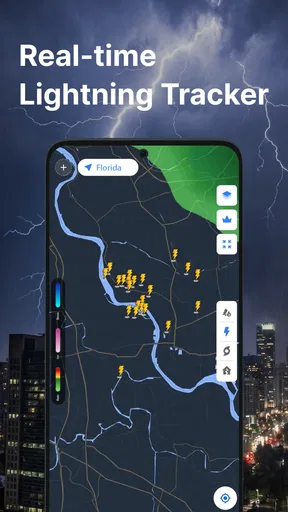
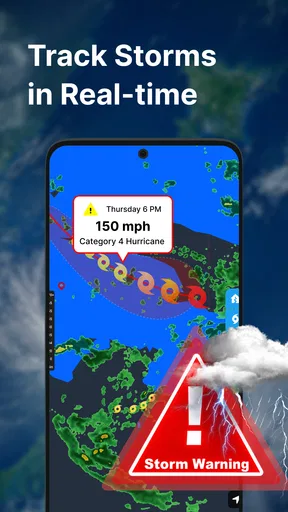
Weather Radar & Weather Live provides real-time radar maps, detailed weather forecasts, and live updates on severe weather conditions. Users can access hourly and weekly forecasts, track storms in real-time, and receive notifications about weather alerts. The app also offers interactive radar imagery and customizable weather widgets.
Is Weather Radar & Weather Live available for both Android and iOS?
Yes, Weather Radar & Weather Live is available for download on both Android and iOS platforms. Users can easily find the app on the Google Play Store for Android devices and the Apple App Store for iOS devices. Ensure your device meets the minimum OS requirements for optimal performance.
Does Weather Radar & Weather Live require a subscription for full access?
Weather Radar & Weather Live offers both free and premium versions. The free version includes basic features, while the premium version provides advanced functionalities such as ad-free experience, enhanced radar imagery, and more detailed forecasts. Users can choose a monthly or yearly subscription plan to access premium features.
How accurate are the forecasts provided by Weather Radar & Weather Live?
The app utilizes advanced algorithms and data from reliable meteorological sources to provide accurate weather forecasts. While no weather app can guarantee 100% accuracy, Weather Radar & Weather Live is known for its reliable predictions and timely updates, helping users plan their activities with confidence.
Can I customize the notifications in Weather Radar & Weather Live?
Yes, the app allows users to customize notifications based on their preferences. You can set alerts for severe weather conditions, daily forecasts, or specific weather events. The app's notification settings are easily adjustable to ensure you receive timely updates tailored to your needs.


